Stop Maintaining Tests. Start Describing Them.
Code Test: AI Browser Testing & Site Monitoring
AI builds browser tests from plain English and replays them without token costs. Uptime and Lighthouse monitoring included.
AI Writes the Tests. You Review and Run Them.
Point our spider at your site. It crawls every page, detects forms and interactive elements, and generates test scenarios — no code required.
Honest note: Auto-generation is experimental and improving. Results vary by site complexity. We recommend reviewing generated tests before running them — think of the spider as a starting point, not a finished test suite.
Spider mode: AI crawls your entire site, discovers pages and forms, and proposes the tests it thinks you need. You review and import the ones that matter.
Write your own: Describe tests in plain English. AI executes them in a real browser, records every step, and converts them into a replay format — or skip AI entirely with our non-AI mode for faster, cheaper runs from the start.
AI Runs Once. Replays Skip the AI.
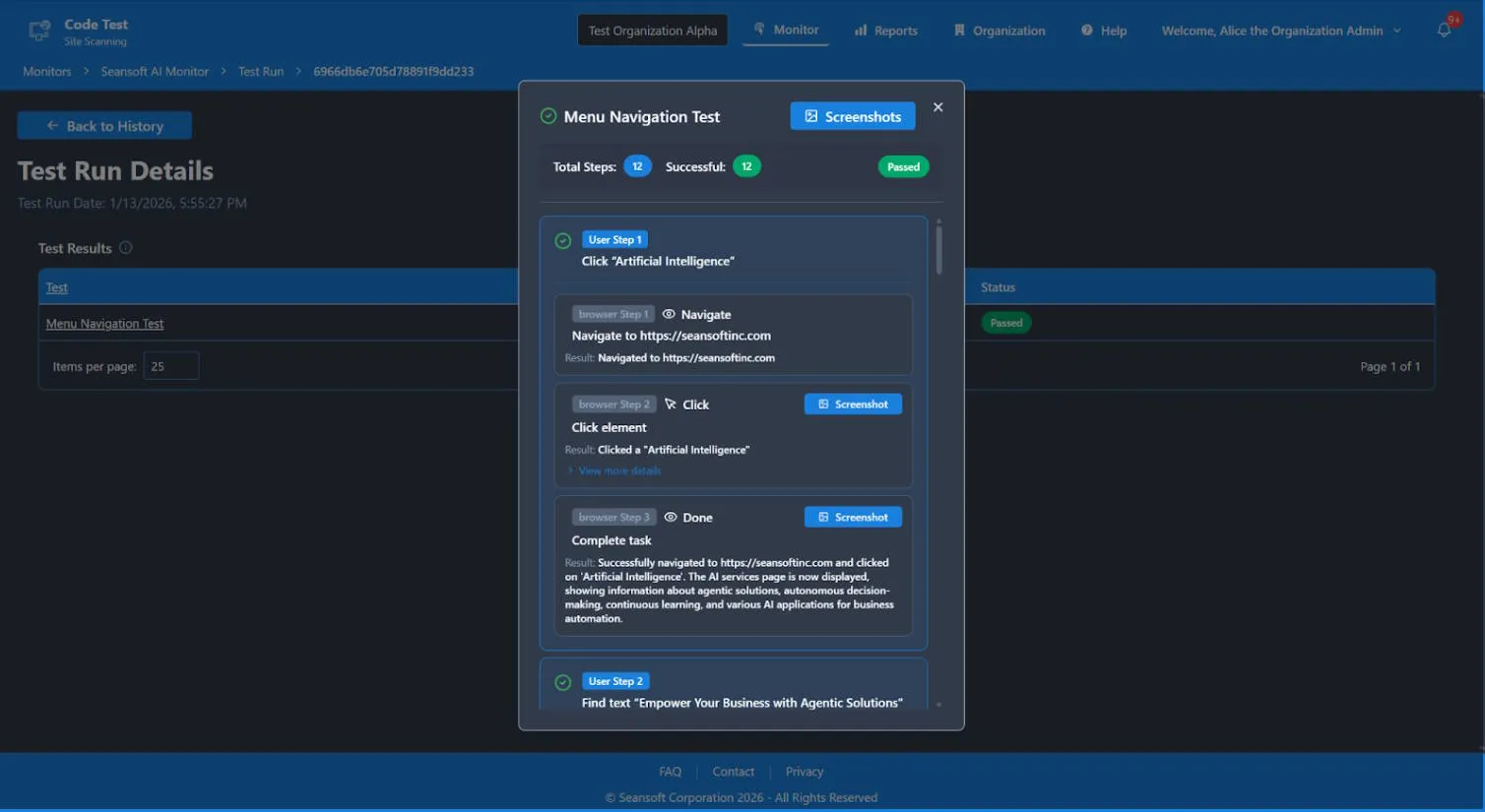
Our record-and-replay architecture keeps AI testing costs predictable. AI executes the first run and records every step. Subsequent runs replay without AI tokens.*
First Run: AI Executes
AI interprets your natural language instructions, drives a real browser, and records every interaction as structured steps.
Subsequent Runs: Replay Without AI
Recorded steps replay through a resilience layer that adapts to minor page changes automatically — not brittle selector scripts. No AI invocation, no per-run AI token charges. Runs still use compute hours for server time.
Failure Recovery: AI Re-Engages
If a replay fails because the UI changed, AI steps back in to adapt and re-record. You only pay for AI when it's actually needed.
Uptime checks, Lighthouse audits, and AI browser tests — one platform, one dashboard, one alerting system.
* Failing tests are retried with AI to self-heal — AI token usage only applies on those retries.
Why We Built This
We were tired of brittle Cypress configs breaking at 2am. We wanted tests that describe what to check in plain English — and a system smart enough to handle the rest. So we built one.
Code Test started as a tool to solve our own problem. Now we're opening it up in early beta.
We're in early beta. You get founding-member pricing and direct access to the team.
Your feedback shapes what we build next.
Built for Teams and Organizations
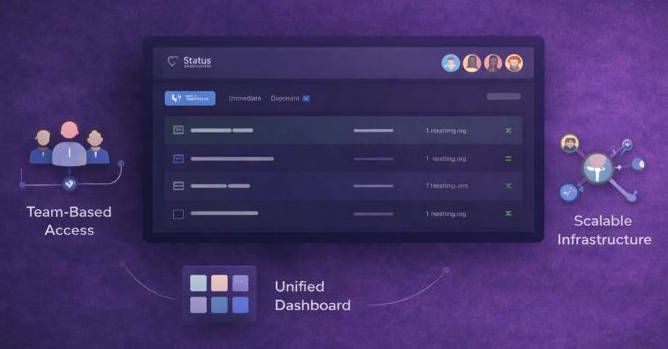
Manage multiple organizations with role-based access, separate billing, and a unified dashboard.
Team-Based Access
Set up team roles and permissions.
Unified Dashboard
View all your sites in a single pane.
Multi-Organization Support
Separate billing, role-based access, and independent management per org.
From Signal to Actionable Insight
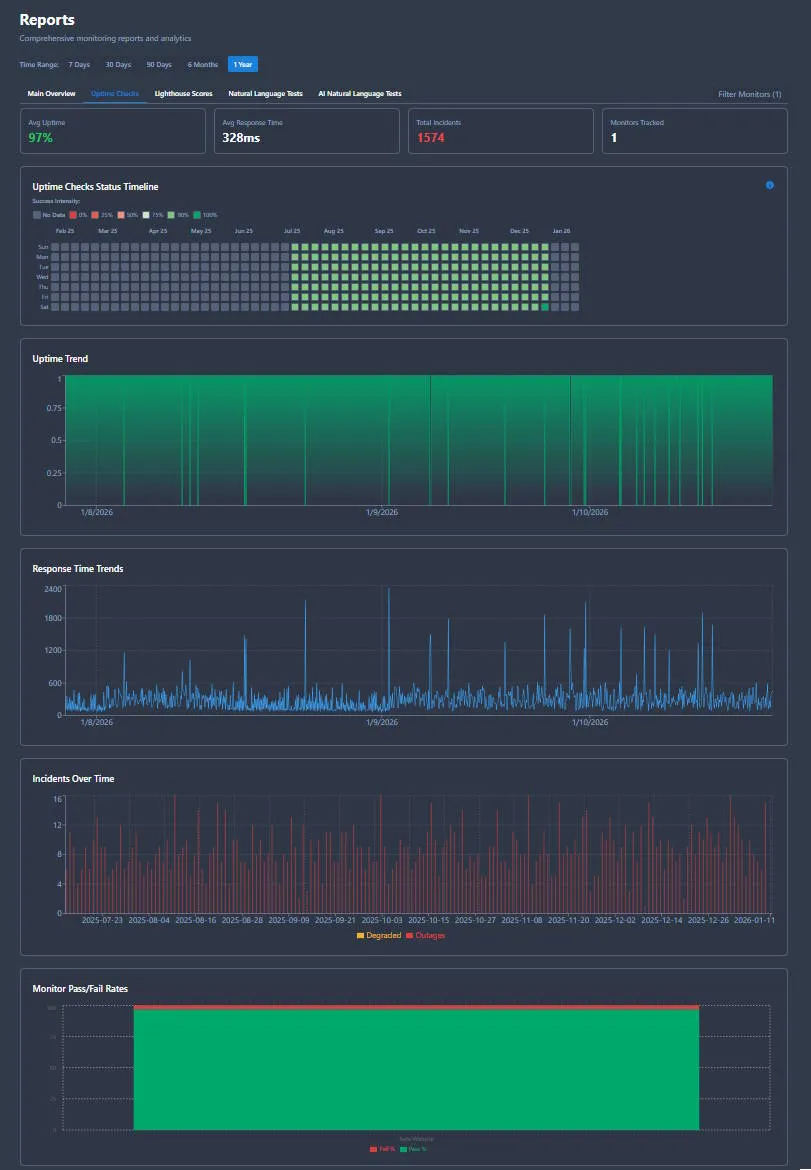
Every monitor produces clear, actionable reports that explain what failed, when it failed, and what changed. Designed for both technical teams and executive stakeholders.
What Failed
Detailed diagnostics including error messages, status codes, and response times
When It Failed
Exact timestamp and duration of the issue, with impact analysis and incident timeline
What Changed
Historical comparisons showing what's different from previous runs and expected baselines
Smart Alerting
Get notified when it matters. Configure thresholds, alert channels, and escalation policies to ensure the right people get the right information at the right time.
- →Email, webhooks, and more
- →Configurable thresholds and failure rates
- →Team-based escalation policies
Alert configuration and notification history
Multiple Report Types
Uptime
Availability %, response times, and outage timeline
Performance
Lighthouse scores, category breakdowns, trends
Test Results
Step-by-step execution, screenshots, diagnostics
Executive
High-level summary for stakeholders and boards
Ready to Keep Your Sites Online?
Start monitoring today. Add AI browser testing and Lighthouse audits when you're ready.
Our Story
How a broken Cypress config at 2am turned into a product
If you've maintained a Cypress or Selenium suite, you know the feeling. Tests that passed yesterday break today because someone moved a button. A CSS class changed. A modal got refactored. The site works fine — the tests don't.
We built Code Test because we were tired of maintaining test infrastructure instead of shipping features. The idea was simple: describe what you want to test in plain English, let AI figure out the browser interactions, then record those interactions so you never pay for AI again on the same test.
Along the way we added uptime monitoring (because every team needs it) and Lighthouse audits (because performance regressions are silent killers). The result is one dashboard that answers the question: is my site up, fast, accessible, and working the way users expect?